
Hyperbeam has grown rapidly in popularity as a browser-based synchronized streaming and collaboration platform. By 2026, it is widely used by remote teams, online communities, educators, and groups of friends who want to watch content or browse the web together in real time. However, as with any platform that enables shared online experiences, serious questions arise: Is Hyperbeam actually safe to use? What are the security and privacy risks? And what critical details are most users overlooking?
TL;DR: Hyperbeam is generally safe for casual use, but its safety depends heavily on how you configure rooms, manage links, and understand its privacy model. The platform itself uses modern security practices, yet user behavior creates the biggest vulnerabilities. Around 80% of users fail to properly manage room access settings and shared browser sessions, which introduces avoidable risks. With proper precautions, Hyperbeam can be secure—but it is not risk-free.
Understanding How Hyperbeam Works
Before evaluating security, it’s important to understand the core architecture. Hyperbeam allows users to create a virtual browser session that multiple participants can access simultaneously. Instead of screen-sharing your own device, Hyperbeam hosts the session on remote servers, and users interact with that shared browser instance.
This design provides several advantages:
- No need to share your personal desktop screen.
- No exposure of local files unless manually uploaded.
- Centralized browser environment hosted in the cloud.
However, it also introduces a unique set of security concerns:
- Anyone with room access may control the shared browser.
- All session activity exists within a third-party hosted environment.
- Improper room configuration can expose sessions to unintended participants.
The safety of Hyperbeam in 2026 largely depends on how these elements are managed.
Hyperbeam’s Core Security Features in 2026
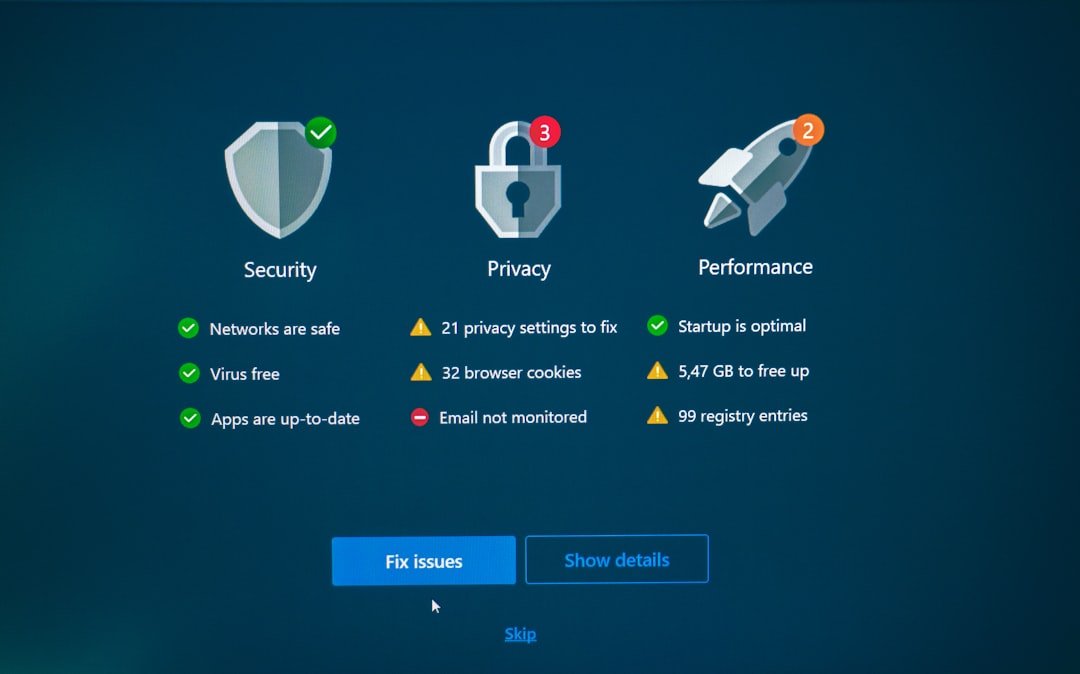
To its credit, Hyperbeam has implemented several security protections that align with modern cloud platform standards.
1. Encrypted Connections
Hyperbeam uses HTTPS and secure WebSocket connections to encrypt traffic between participants and its servers. This significantly reduces the risk of interception from third parties.
2. Isolated Browser Sessions
Each room operates within an isolated cloud-based container. This limits cross-session contamination and reduces the likelihood of users interfering with one another outside their designated room.
3. Temporary Environments
Sessions are typically ephemeral. When a room closes, the environment resets. This minimizes long-term data storage risks.
4. Access Controls
Room creators can:
- Lock rooms
- Require passwords
- Restrict control permissions
- Remove participants
These tools are effective—if used properly.
The Real Risks: Where Things Go Wrong
While Hyperbeam’s infrastructure appears reasonably secure, most risk does not come from the platform itself. It comes from misunderstanding how shared cloud browsers work.
1. Public Room Links
One of the most common mistakes is sharing room links publicly. Because access typically depends on possession of a link, posting it in large forums or social media makes it vulnerable to “link hijacking.” Anyone with the URL can potentially enter.
What 80% of users miss: Even temporary links can be copied and redistributed without your knowledge.
2. Shared Logins Inside the Session
When someone logs into a personal account (such as email or streaming services) inside the shared browser, other participants may gain access if control settings are not properly restricted.
This is particularly risky if:
- Multiple users have control enabled.
- The session is recorded externally by participants.
- The session remains open after you log in.
3. Inadequate Moderator Controls
Many room creators fail to limit control permissions. By default, some rooms allow collaborative control, meaning any participant can click, type, or navigate.
This leads to risks such as:
- Accidental purchases
- Accessing malicious websites
- Trolling or disruptive behavior
- Downloading unsafe files
4. Phishing Opportunities
A shared, trusted-looking session can create a false sense of security. If one participant navigates to a phishing site, others may assume it is legitimate simply because it appears within the trusted Hyperbeam environment.

Privacy Concerns You Should Not Ignore
Security is about protection from breaches. Privacy is about control over your data. These are related but distinct issues.
Data Collection and Logging
Like most cloud services, Hyperbeam may log:
- IP addresses
- Session duration
- Device types
- Basic usage analytics
While this data is usually collected for operational and security monitoring purposes, users must recognize that session activity is happening on third-party infrastructure.
Third-Party Content Risks
Hyperbeam functions as a browser. That means any website loaded during a session follows that site’s own privacy policies. Hyperbeam does not shield users from trackers, cookies, or embedded scripts present on visited sites.
This is a major overlooked issue. Users often believe they are only interacting with Hyperbeam, when in reality they are simultaneously interacting with every website loaded inside the shared browser.
Is Hyperbeam Safe for Business Use?
Businesses increasingly use Hyperbeam for:
- Client presentations
- Product demos
- Collaborative research
- Remote troubleshooting
In professional contexts, risk tolerance is lower. The main concerns include:
- Accidental exposure of confidential login credentials
- Unauthorized meeting access
- Data leakage through shared browsing sessions
- Lack of enterprise-grade compliance documentation
Organizations should ask:
- Does Hyperbeam provide audit logs?
- Are sessions encrypted end-to-end?
- What is the data retention policy?
- Is there enterprise support?
Hyperbeam can be used safely in business environments, but only with strict internal protocols.
Comparison: Hyperbeam vs Alternative Collaboration Tools
| Feature | Hyperbeam | Zoom Screen Share | Parsec |
|---|---|---|---|
| Cloud Hosted Browser | Yes | No | No |
| Local Device Exposure | Minimal | Possible if screen shared | High (remote device access) |
| Granular Control Permissions | Moderate | Strong host controls | Advanced but complex |
| Enterprise Compliance Features | Limited | Extensive | Limited |
| Ease of Casual Use | Very High | High | Moderate |
Compared to full remote desktop tools, Hyperbeam avoids exposing your personal machine. However, it lacks some of the mature compliance infrastructure found in dedicated enterprise platforms.
How To Use Hyperbeam Safely in 2026
To reduce risk significantly, implement the following best practices:

Security Checklist
- Always password-protect rooms.
- Disable collaborative control unless necessary.
- Never log into sensitive accounts in public sessions.
- End sessions immediately after use.
- Regenerate room links if shared broadly.
- Use separate demo accounts instead of personal accounts.
- Monitor session participants carefully.
When these steps are followed, risk decreases significantly.
What 80% of Users Miss
The most critical misunderstanding is this:
Hyperbeam is not a private browsing session simply because it is not your local device.
Users often assume that because the session is “in the cloud,” it is inherently anonymous or protected. In reality:
- Other participants can see everything inside the shared browser.
- Websites inside the session can still track activity.
- Room links can be duplicated infinitely.
Another overlooked issue is role management. Many users forget that control settings define power. If everyone has equal control, you have effectively created a shared public computer—one where trust must be absolute.
So, Is Hyperbeam Safe in 2026?
The serious answer is nuanced.
For casual entertainment among trusted friends, Hyperbeam is reasonably safe when basic precautions are taken.
For business use, it requires structured policies and disciplined access control.
For handling sensitive personal data, caution is advised.
The platform itself does not appear inherently insecure. There are no widespread reports of systemic breaches tied to its core infrastructure. However, its design inherently shifts much of the security responsibility onto users.
In cybersecurity, the weakest link is often human behavior. Hyperbeam is no exception.
Final Assessment
Hyperbeam in 2026 can be safe—but only when understood properly. Its cloud-based architecture reduces risks associated with direct device sharing. Yet it introduces new exposure through shared access, link management, and third-party web interactions.
The truth is that most dangers are preventable. By locking rooms, restricting control privileges, and treating every session as a shared public environment, users can dramatically reduce vulnerabilities.
Security is not automatic. Privacy is not guaranteed. But with responsible usage, Hyperbeam remains a viable and relatively safe collaboration tool in 2026.