The best content management platform is the one that lets your team publish once, adapt fast, and measure what happens next. A good platform connects websites, apps, email, social posts, product pages, and internal teams without turning every update into a ticket queue. The goal is simple: fewer copy-paste jobs, fewer broken approvals, and better content in more places.
TLDR: Platforms for managing content across websites and digital channels help teams create, approve, reuse, publish, and track content from one central system. For example, a retailer with 12 regional websites could update a product description once and push approved versions to all sites, email campaigns, and mobile app screens. Teams often cut publishing time by 30% to 60% when workflows, assets, and channel rules live in one place. The right choice depends on your team size, technical setup, content volume, and how many channels you support.
What these platforms actually do
A content management platform is no longer just a place to edit a web page. Modern systems act as a content operations hub. They store text, images, videos, product data, campaign copy, translations, metadata, SEO fields, and approval history.
The useful part is structure. Instead of writing the same product story five times for five channels, teams create reusable content blocks. A headline, short description, long description, disclaimer, image, and call to action can be stored as separate fields. Then each channel pulls the right pieces in the right format.

This matters because content now appears everywhere. A single campaign may need a landing page, blog post, app banner, email version, paid ad copy, help center update, and social preview. If those items live in disconnected files, chaos follows. Someone edits the wrong version. Someone publishes old pricing. Someone forgets legal approval. It drives me crazy that some teams still manage major campaigns from spreadsheet tabs named “final final approved.”
Main types of content platforms
Not every platform solves the same problem. The market can be grouped into a few practical categories.
- Traditional CMS platforms: These are built around web pages. They are often easier for marketers and editors. They work well for blogs, company sites, and content-heavy websites.
- Headless CMS platforms: These separate content from presentation. Content is managed in one place and delivered through APIs to websites, apps, kiosks, voice tools, or any custom front end.
- Digital experience platforms: These combine content management with personalization, testing, customer data, analytics, and marketing tools.
- Digital asset management systems: These focus on storing, tagging, approving, and distributing images, videos, documents, logos, and brand files.
- Marketing content platforms: These help plan campaigns, assign tasks, manage calendars, route approvals, and measure performance across channels.
Many companies use a mix. A media brand might use a CMS for articles, a DAM for images and video, and a marketing platform for newsletters. A global retailer may use a headless CMS with product information tools and translation software.
Features that matter most
The feature list can get noisy fast. Vendors love long menus. Focus on what reduces real work.
- Multichannel publishing: The platform should send content to websites, apps, email tools, commerce pages, and other endpoints without manual rebuilding.
- Reusable content models: Teams should be able to create structured blocks, not just giant text fields.
- Workflow and approvals: Drafting, review, legal checks, translation, and publishing should be visible and trackable.
- Version control: Editors need to see what changed, who changed it, and how to roll back mistakes.
- Role permissions: Not everyone should publish to the homepage or overwrite campaign assets.
- Localization support: If you work across regions, translation status and local approvals are essential.
- Analytics integration: Content teams need to connect publishing activity with traffic, leads, sales, or engagement.
- Strong search and tagging: If people cannot find assets, they will upload duplicates. Every time.
Expect to waste time on setup if your content model is sloppy. A headless CMS with bad taxonomy becomes a fancy filing cabinet. The technology helps, but the structure matters more.
How teams use these platforms day to day
Picture a software company launching a new feature. The product marketer writes the core message in the platform. The content team creates a blog post and landing page. The lifecycle team adapts the copy for email. The app team pulls a short banner version through an API. The support team receives approved help center copy. Legal reviews one source, not six files.
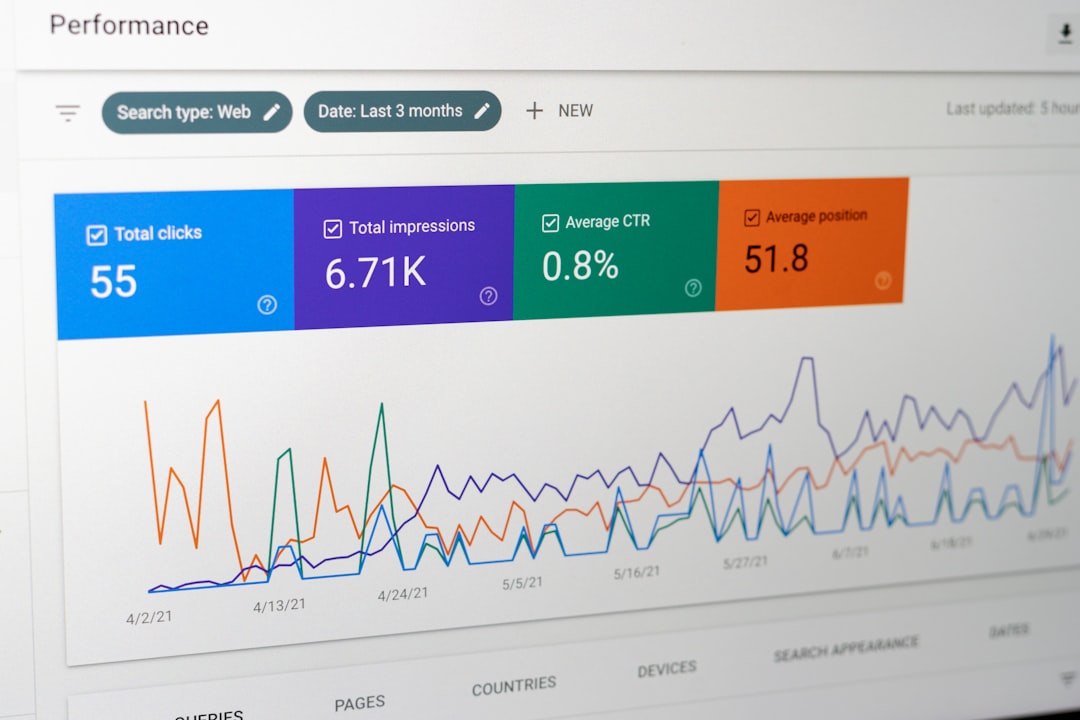
On launch day, the system publishes the website update at 9:00 a.m., sends the email copy to the campaign tool, updates the app banner, and marks social copy as ready. Analytics show that the landing page reached a 7.8% conversion rate, while the app banner drove 18,400 clicks in the first week. That feedback helps the team improve the next campaign.
Choosing the right platform
Start with your content pain, not the vendor demo. Ask where work slows down. Is it approvals? Translation? Page building? Asset search? Developer bottlenecks? Reporting?
For a small editorial team, a simple CMS with flexible templates may be enough. For a company with multiple brands, countries, and apps, a headless CMS or larger digital experience platform may make more sense. For a design-heavy organization, DAM features may be the thing that saves the most time.
Also check how the platform fits with your existing tools. It should connect with analytics, CRM, email software, translation tools, commerce systems, and identity management. If integration requires constant custom work, costs can climb quickly.
Common mistakes to avoid
One common mistake is buying for future dreams while ignoring current habits. If editors need developers for every small change, adoption drops. If the interface is confusing, people work around it. If the approval process has too many steps, urgent content will escape the system.
Another mistake is moving messy content into a new platform without cleanup. Duplicate pages, old images, weak tags, and unclear owners will follow you. A migration is a rare chance to remove clutter. Use it.

What success looks like
A successful content platform makes publishing feel calmer. Editors know where drafts live. Designers know which assets are approved. Developers get clean APIs. Managers see status without asking for update meetings. Customers get consistent messages across every channel.
The real win is not just speed. It is confidence. When content is structured, governed, searchable, and measurable, teams can create better experiences with less friction. That means fewer emergencies, cleaner campaigns, and a content system that grows with the business instead of fighting it.