Modern workforces expect applications, desktops, and cloud services to feel fast from any location. For organizations using managed cloud, virtual desktop, or hybrid workplace environments, digital experience monitoring has become a practical way to detect slowdowns before they become help desk escalations. Xtium’s DEM approach is best understood as a visibility layer that helps IT teams evaluate user experience across endpoints, networks, applications, and hosted environments.
TLDR: Xtium DEM is designed to help IT teams monitor how employees actually experience business applications and digital workspaces. It can be useful for identifying whether poor performance comes from the endpoint, network, cloud platform, or application layer. For example, a support team managing 500 remote users could use DEM analytics to spot that 38% of login delays come from endpoint resource constraints rather than the hosted desktop platform itself. The biggest value is faster troubleshooting, better service visibility, and more informed capacity planning.
Xtium DEM Review: What It Focuses On
Xtium DEM focuses on measuring the real digital experience of users instead of only checking whether systems are technically online. Traditional infrastructure monitoring may show that servers, firewalls, and applications are available, yet employees may still experience slow logins, frozen sessions, poor voice quality, or delayed application response. DEM fills that gap by connecting technical performance data with the user’s actual experience.
In practice, this means Xtium DEM can support IT teams that need to understand performance across distributed workplaces, managed desktops, SaaS applications, and cloud-hosted infrastructure. It is especially relevant for organizations with remote employees, regulated environments, or outsourced IT operations where service accountability matters.

Core Digital Experience Monitoring Features
The most important feature of any DEM platform is its ability to collect and correlate telemetry from multiple layers. Xtium DEM is positioned around this kind of end-to-end visibility. Rather than looking at one isolated metric, it helps teams evaluate the full service path.
- Endpoint visibility: Monitoring device health, CPU usage, memory pressure, disk performance, operating system conditions, and local connectivity issues.
- Application performance tracking: Reviewing response times, crashes, latency, and user-facing application delays.
- Network monitoring: Measuring packet loss, jitter, latency, bandwidth constraints, and the quality of connections between users and hosted services.
- Session experience analytics: Tracking login duration, disconnects, desktop responsiveness, and session stability in virtual or cloud desktop environments.
- Service health dashboards: Presenting operational data in a format that managers, engineers, and service desk teams can interpret quickly.
These features are valuable because they reduce guesswork. If an employee reports that “the system is slow,” the IT team can move beyond vague troubleshooting and investigate measurable causes such as overloaded endpoints, unstable Wi-Fi, regional network congestion, or back-end application degradation.
User Experience Scoring and Analytics
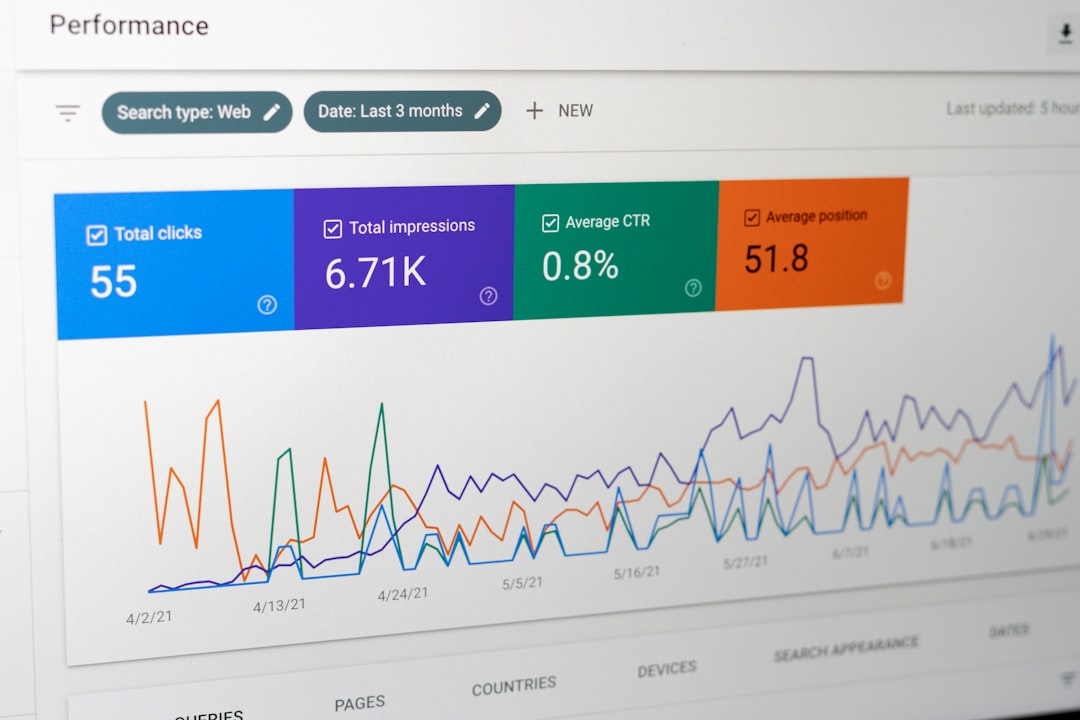
A strong DEM solution should translate complex telemetry into practical indicators. Xtium DEM can be reviewed positively in this area because the concept of experience scoring helps prioritize incidents by user impact. Instead of treating every alert equally, IT teams can focus on issues affecting the most users or the most business-critical applications.
For example, if 25 users in a finance department experience slow application launch times during month-end reporting, that issue may deserve higher priority than a one-off device warning. Experience scoring helps decision-makers understand not only that a problem exists, but also whether it is affecting productivity, business operations, or service-level expectations.
Analytics also support trend detection. If login times increase from an average of 22 seconds to 55 seconds over three weeks, the trend may suggest profile bloat, capacity pressure, authentication delays, or policy changes. This makes DEM useful not just for reactive support, but also for proactive optimization.
Root Cause Analysis Capabilities
One of the main reasons organizations consider Xtium DEM is root cause analysis. In complex environments, performance problems often cross technology boundaries. A slow application may appear to be a server issue, but the real cause could be DNS latency, endpoint antivirus scans, identity provider delays, or insufficient virtual desktop resources.
Xtium DEM helps by correlating data across the stack. This can allow teams to determine whether a problem is local, regional, application-specific, or platform-wide. The advantage is a shorter mean time to resolution. In many IT environments, even reducing investigation time by 20% to 30% can significantly improve support efficiency and user satisfaction.
Benefits for IT Operations and Service Desks
For service desk teams, Xtium DEM can improve support conversations. Instead of asking users to describe symptoms repeatedly, technicians can review objective information about device health, connection quality, and recent session behavior. This creates a more confident support process and can reduce escalations.
For IT operations leaders, the platform can support capacity planning and SLA reporting. If dashboards show recurring latency during business hours, teams can investigate whether more resources, better routing, or application tuning is required. If a managed service provider is involved, DEM data can help separate platform responsibility from local network or endpoint issues.
Key operational benefits include:
- Faster troubleshooting through correlated data and historical session records.
- Improved user satisfaction by detecting problems before they become widespread complaints.
- Better resource planning using trend data on usage, performance, and capacity demand.
- More transparent reporting for executives, technology teams, and service partners.
Where Xtium DEM Works Best
Xtium DEM appears best suited for organizations that rely on digital workspaces, virtual desktops, cloud infrastructure, remote connectivity, or managed IT services. It is particularly helpful when users are spread across multiple locations and the IT team cannot physically inspect every device or local network.
Industries such as healthcare, finance, legal services, and professional services may benefit because performance consistency and compliance-sensitive operations are important. In these environments, user experience issues are not just minor inconveniences; they can interrupt client service, delay billing, or affect time-sensitive workflows.
Potential Limitations to Consider
No DEM tool is a complete replacement for strong infrastructure management, application performance monitoring, or security operations. Xtium DEM should be viewed as part of a broader observability and service management strategy. Organizations may still need specialized tools for code-level application diagnostics, advanced security monitoring, or deep packet inspection.
There is also a practical requirement for proper implementation. DEM insights are only as useful as the telemetry sources, alert thresholds, and operational processes behind them. If dashboards are not aligned with business priorities, teams may receive too much noise. The best results usually come when Xtium DEM is configured around real workflows, key applications, and defined service targets.

Overall Assessment
Xtium DEM offers meaningful value for organizations that want to measure digital experience from the user’s perspective. Its strongest use cases include remote workforce support, virtual desktop monitoring, application experience tracking, and operational reporting. By connecting endpoint, network, session, and application data, it gives IT teams a clearer understanding of what users are actually experiencing.
The review is strongest when Xtium DEM is considered as an experience intelligence tool rather than just another monitoring dashboard. It helps organizations move from reactive ticket handling to proactive service optimization. For businesses where digital productivity directly affects revenue, compliance, or customer service, that visibility can be a major advantage.
FAQ
What is Xtium DEM?
Xtium DEM refers to digital experience monitoring capabilities that help organizations track user experience across devices, networks, applications, and cloud or virtual desktop environments.
Who should use Xtium DEM?
It is most useful for organizations with remote employees, managed desktops, cloud-hosted systems, or distributed offices where IT teams need visibility into real user performance.
Does Xtium DEM replace infrastructure monitoring?
No. It complements infrastructure monitoring by adding user-focused experience data. Servers may be healthy while users still experience slow sessions, and DEM helps uncover those gaps.
What problems can it help identify?
It can help identify slow logins, endpoint resource issues, poor network quality, application delays, session instability, and recurring performance trends.
Is Xtium DEM useful for service desk teams?
Yes. It can give technicians objective performance data, which may reduce troubleshooting time, improve ticket handling, and support better communication with affected users.