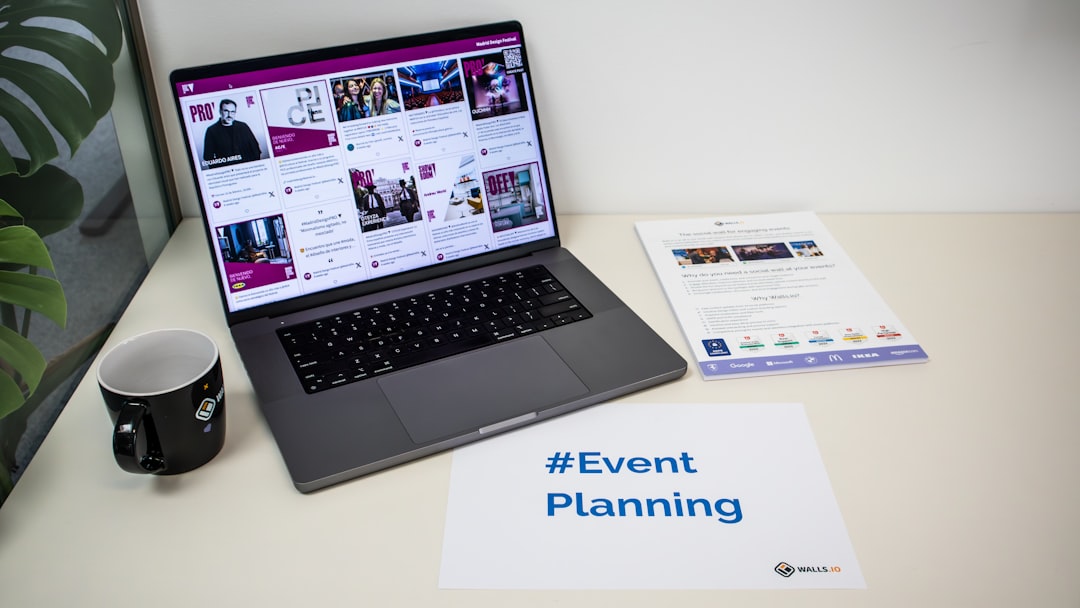
In today’s fast-paced digital world, presentations have evolved far beyond static slides and bullet points. Modern audiences expect visually stunning designs, smooth animations, and interactive elements that keep them engaged from start to finish. Whether for business pitches, educational lectures, marketing proposals, or creative storytelling, the right presentation maker can dramatically elevate the impact of a message.
TLDR: The best presentation makers combine beautiful templates, intuitive design tools, and eye-catching animations. From industry leaders like PowerPoint and Canva to modern platforms like Prezi and Beautiful.ai, there are tools for every skill level and budget. Choosing the right one depends on collaboration needs, animation preferences, customization options, and overall ease of use. Below is a curated list of 11 powerful presentation tools, complete with a comparison chart and FAQs.
What Makes a Great Presentation Maker?
A strong presentation tool should offer:
- Professionally designed templates that reduce design time
- Smooth animations and transitions
- Easy editing interface for beginners and professionals
- Collaboration features for team projects
- Export and sharing flexibility
Below are 11 presentation makers that stand out for their aesthetics and animation capabilities.
1. Microsoft PowerPoint
PowerPoint remains a global standard. It offers an extensive template library, advanced animation controls, morph transitions, and 3D elements. Professionals appreciate its deep customization features, while beginners benefit from ready-made themes.
2. Canva Presentations
Canva is known for its drag-and-drop simplicity and beautifully crafted templates. It provides animated slide elements and presentation-wide transitions, making it ideal for marketers and entrepreneurs.

3. Google Slides
Google Slides focuses on simplicity and real-time collaboration. While animation options are lighter than some competitors, its seamless sharing and cloud access make it invaluable for teams.
4. Prezi
Prezi transforms presentations into dynamic visual journeys. Instead of traditional slides, it uses a zoom-based canvas that creates fluid, cinematic movement between topics.
5. Beautiful.ai
Beautiful.ai automates slide design using smart templates that adapt to content. This ensures visual consistency with minimal design effort, making it perfect for business professionals.
6. Visme
Visme blends data visualization with design. Users can create animated charts, infographics, and interactive slides, ideal for data-driven presentations.
7. Keynote
Apple’s Keynote is known for sleek themes and high-quality cinematic transitions. It works seamlessly across Apple devices and supports smooth motion effects.
8. Powtoon
Powtoon excels at animated presentations and explainer videos. It’s especially useful for training materials, social media visuals, and storytelling presentations.
9. Zoho Show
Zoho Show offers polished templates, contextual animations, and collaborative editing. It integrates smoothly with other Zoho applications.
10. Genially
Genially focuses on interactive presentations. Users can embed clickable elements, animations, and multimedia to increase engagement.
11. Slides (Slides.com)
Slides.com is a browser-based tool geared toward developers and professionals who want clean, modern designs with customizable HTML features.
Comparison Chart
| Tool | Best For | Animation Level | Collaboration | Ease of Use |
|---|---|---|---|---|
| PowerPoint | Corporate & Advanced Users | High | Yes | Medium |
| Canva | Marketers & Beginners | Medium | Yes | High |
| Google Slides | Team Collaboration | Basic | Excellent | High |
| Prezi | Dynamic Storytelling | High | Yes | Medium |
| Beautiful.ai | Quick Business Decks | Medium | Yes | High |
| Visme | Data Visualization | High | Yes | Medium |
| Keynote | Apple Users | High | Limited | High |
| Powtoon | Animated Videos | Very High | Yes | Medium |
| Zoho Show | Business Teams | Medium | Yes | High |
| Genially | Interactive Content | High | Yes | Medium |
| Slides | Developers & Startups | Medium | Yes | Medium |
How to Choose the Right Presentation Maker
Choosing the ideal presentation platform depends on several factors:
- Purpose: Is it a sales pitch, lecture, webinar, or explainer video?
- Audience: Formal corporate boardroom or creative online audience?
- Animation Needs: Subtle transitions or full animated storytelling?
- Collaboration Requirements: Solo creation or team-based editing?
- Device Compatibility: Desktop-based or browser cloud access?
For instance, a corporate executive might favor PowerPoint or Beautiful.ai for structured clarity, while a marketing professional could lean toward Canva or Genially for visually rich narratives.

The Power of Templates and Animations
Templates eliminate the intimidation of starting from scratch. Structured layouts ensure content alignment, visual hierarchy, and branding consistency. Professionally designed templates often include coordinated typography, harmonious color palettes, and pre-set animation sequences.
Animations, when used strategically, enhance storytelling rather than distract from it. Smooth slide transitions, motion-based infographics, and element reveals can emphasize key points and guide the audience’s focus.
However, overuse of animations can reduce professionalism. The best tools provide balance—dynamic enough to impress but polished enough for formal settings.
Trends in Presentation Design for 2026
Presentation design is continuously evolving. Current trends include:
- Minimalist layouts with ample white space
- Micro-animations for subtle emphasis
- Interactive slide elements
- Embedded video backgrounds
- AI-assisted slide design

AI-powered layout suggestions, smart resizing, and automated branding adjustments are increasingly common. These features reduce manual adjustments and allow users to focus on crafting their message.
Final Thoughts
The right presentation maker can transform an ordinary deck into a compelling visual experience. From traditional powerhouses to innovative interactive platforms, today’s tools cater to every style and professional need.
Ultimately, beautiful templates and smooth animations should enhance—not overpower—the message. When used thoughtfully, they capture attention, simplify information, and make presentations memorable long after the final slide.
Frequently Asked Questions (FAQ)
1. Which presentation maker is best for beginners?
Canva and Google Slides are generally considered the most beginner-friendly due to their intuitive interfaces and ready-made templates.
2. What tool offers the best animations?
Powtoon and Prezi stand out for highly dynamic animations, while PowerPoint and Keynote offer advanced yet professional-grade motion effects.
3. Are free presentation makers good enough for professional use?
Yes, many free versions of tools like Canva, Google Slides, and Zoho Show provide sufficient features for professional presentations. Paid plans mainly unlock premium templates and advanced options.
4. Which platform is best for team collaboration?
Google Slides excels in real-time collaboration. Canva, Zoho Show, and PowerPoint Online also support multi-user editing.
5. How important are animations in presentations?
Animations are important when used strategically. They help emphasize key points and improve engagement but should remain subtle in formal contexts.
6. Can these tools export to video format?
Many modern presentation makers, including PowerPoint, Canva, and Visme, allow users to export presentations as video files for sharing on social media or during virtual events.
7. What is the biggest mistake when using presentation templates?
The most common mistake is overcrowding slides with text and excessive animations. Even the best template requires clear, concise content to be effective.