
For small businesses, social media can feel like a full-time job squeezed into an already packed schedule. Between creating posts, choosing the right platforms, replying to customers, and tracking results, it is easy to lose consistency. That is where social media scheduling tools become powerful: they help business owners plan ahead, post at better times, and manage multiple channels from one place.
TLDR: Social media scheduling tools help small businesses save time, stay consistent, and make smarter marketing decisions. For example, a local bakery posting manually three times a week could use a scheduler to plan 20 posts in one afternoon and increase posting frequency by 40% without adding extra daily work. Many tools also provide analytics, so a business can see whether Instagram Reels, Facebook posts, or LinkedIn updates are bringing the most engagement. The best tool depends on budget, platforms, team size, and how much reporting or automation you need.
Why Scheduling Tools Matter for Small Businesses
Consistency is one of the biggest drivers of social media growth. Customers are more likely to remember a brand that appears regularly in their feeds with useful, entertaining, or timely content. However, small business owners rarely have the luxury of logging in several times a day to post manually.
A scheduling tool solves this by allowing you to create and queue content in advance. Instead of interrupting your workday to post a product update, you can dedicate one focused block of time each week to planning content. This approach supports better messaging, fewer last-minute mistakes, and more strategic campaigns.
Think of scheduling software as a digital marketing assistant. It does not replace creativity, but it removes repetitive tasks so you can focus on better ideas, stronger visuals, and customer relationships.
Key Features to Look For
Not every scheduling platform is built the same. Some are simple and affordable, while others offer advanced analytics, social listening, approval workflows, and AI-powered recommendations. Before choosing one, small businesses should look carefully at the features that matter most.
- Multi-platform scheduling: The ability to publish to Instagram, Facebook, TikTok, LinkedIn, Pinterest, X, and other channels from one dashboard.
- Content calendar: A visual calendar helps you see what is going out each day and avoid posting too much or too little.
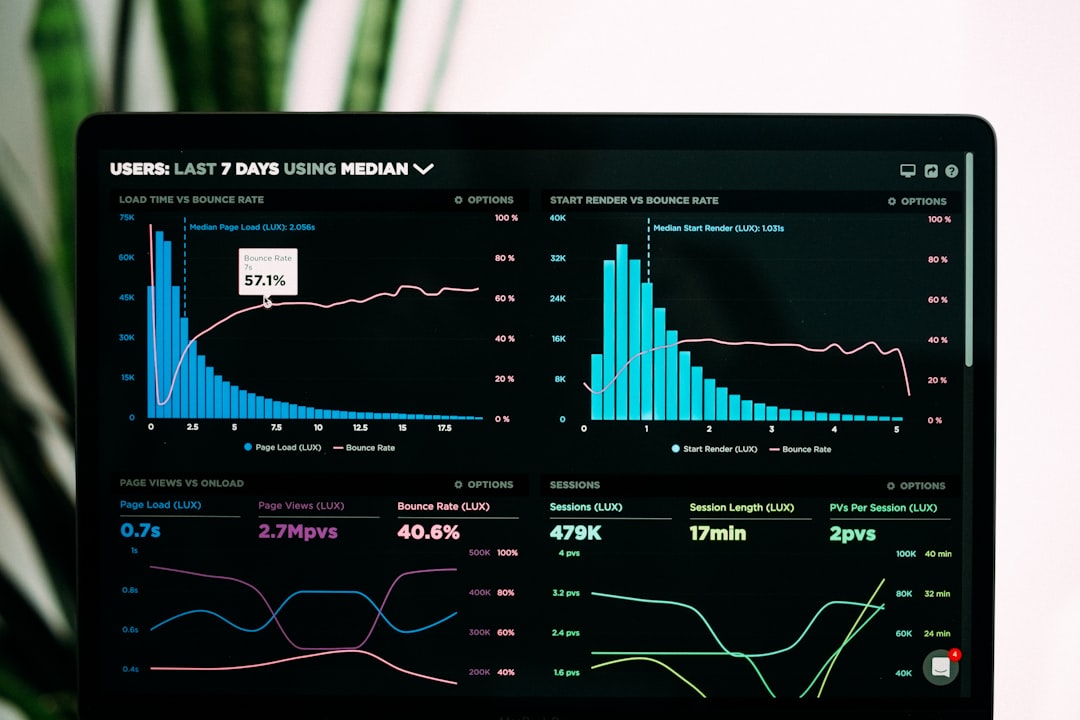
- Analytics and reporting: Performance data shows which posts drive clicks, comments, shares, and conversions.
- Best time to post suggestions: Some tools recommend posting times based on audience activity.
- Team collaboration: Useful if you work with a marketer, designer, virtual assistant, or agency.
- Content recycling: Evergreen posts can be reused or repurposed, saving time while keeping feeds active.
- Inbox management: A unified inbox lets you reply to comments and messages without switching between apps.
Top Social Media Scheduling Tools for Small Businesses
1. Buffer
Buffer is one of the most beginner-friendly scheduling tools available. Its clean interface makes it easy to schedule posts, preview content, and analyze performance. For small businesses that want a simple, low-stress way to stay active online, Buffer is a strong choice.
It works especially well for businesses managing a few core platforms. You can create a posting queue, customize posts for each network, and track engagement. Buffer is also known for being transparent and easy to understand, which is helpful for owners who do not want to spend hours learning complicated software.
2. Hootsuite
Hootsuite is a long-standing social media management platform with robust scheduling, monitoring, and analytics features. It is useful for businesses that need more than basic scheduling, especially those handling higher content volumes or multiple brand accounts.
One of Hootsuite’s strengths is its dashboard, where users can monitor mentions, comments, hashtags, and messages. This makes it ideal for small businesses that treat social media as both a marketing and customer service channel. The platform can be more expensive than some alternatives, but its feature set is broad.
3. Later
Later is particularly popular with businesses that rely heavily on visual content, such as boutiques, salons, cafés, travel brands, fitness studios, and creators. Its drag-and-drop calendar and visual Instagram planner make it easy to design a feed that looks polished and consistent.
Later also supports scheduling for platforms like TikTok, Pinterest, Facebook, and LinkedIn. If your business depends on product photos, lifestyle posts, short videos, or visual storytelling, Later can help you organize content in a way that feels both practical and creative.

4. Sprout Social
Sprout Social is more advanced and typically better suited to growing businesses that want detailed reporting and customer engagement tools. It offers scheduling, analytics, social listening, competitor insights, and a powerful social inbox.
For a small business with ambitious growth goals, Sprout Social can provide deeper insights into what audiences care about. For example, a local fitness studio could use analytics to discover that transformation stories receive 65% more engagement than class schedule updates, then adjust the content plan accordingly.
The main drawback is cost. Sprout Social may be more than a very small business needs at the beginning, but it can be valuable for companies that want professional-level reporting and team workflows.
5. Meta Business Suite
Meta Business Suite is a practical free option for businesses focused on Facebook and Instagram. It allows users to schedule posts, stories, and reels, manage messages, view notifications, and check basic insights.
For small businesses on a tight budget, this is often the best starting point. A restaurant, for instance, can schedule weekly lunch specials, event announcements, and behind-the-scenes kitchen clips without paying for a third-party platform. The limitation is that it only covers Meta platforms, so it is less useful if LinkedIn, TikTok, or Pinterest are part of your strategy.
6. Zoho Social
Zoho Social offers a good balance of affordability and functionality. It includes scheduling, monitoring, analytics, and collaboration tools. It is especially useful for small businesses already using other Zoho products, such as Zoho CRM.
One standout feature is its ability to connect social activity with customer relationship management. This can help sales-focused businesses track how social interactions contribute to leads and customer conversations.
7. SocialBee
SocialBee is great for businesses that want to organize posts into content categories. For example, you can create categories such as promotions, customer testimonials, educational tips, and behind the scenes. The tool then helps you maintain a balanced mix of content.
This is useful because many small businesses accidentally post too many sales messages and not enough helpful or engaging content. SocialBee’s category-based approach encourages a more thoughtful content strategy.
How to Choose the Right Tool
The best scheduling tool is not always the one with the longest feature list. It is the one that fits your actual workflow. Before subscribing, ask yourself a few practical questions:
- Which platforms matter most? If you only use Facebook and Instagram, Meta Business Suite may be enough.
- How often do you post? Businesses posting daily may need a stronger calendar and automation features.
- Do you need analytics? If you are investing in campaigns, reporting becomes essential.
- Will more than one person use it? Teams should look for approval tools and role-based access.
- What is your monthly budget? Start with what you can maintain, not what looks impressive.

Best Practices for Scheduling Social Media Content
Scheduling tools work best when paired with a smart content plan. Posting automatically does not mean posting randomly. A strong small business social strategy usually includes a mix of content types.
- Educational posts: Tips, how-to content, FAQs, and industry insights.
- Promotional posts: New products, discounts, limited offers, and service highlights.
- Community content: Customer stories, local events, partnerships, and user-generated posts.
- Behind-the-scenes content: Team moments, production processes, daily operations, and brand personality.
- Engagement posts: Polls, questions, challenges, and conversation starters.
A simple rule is the 80/20 approach: make around 80% of your content helpful, entertaining, or relationship-building, and keep about 20% directly promotional. This keeps your audience interested instead of making your feed feel like a constant advertisement.
Common Mistakes to Avoid
One mistake is scheduling everything and then disappearing. Social media is still social. Even if your posts are automated, you should regularly check comments, respond to messages, and join conversations. A fast, human reply can turn a casual follower into a loyal customer.
Another mistake is using the same caption and format across every platform. A LinkedIn post may need a more professional tone, while TikTok or Instagram may perform better with shorter, more casual copy. Many scheduling tools let you customize each post by platform, and small businesses should take advantage of that.
Finally, do not ignore analytics. If your audience consistently engages more with videos than static images, or if weekend posts outperform weekday posts by 30%, use that information. Scheduling tools are not just for saving time; they are also for learning what works.
Final Thoughts
Powerful social media scheduling tools can give small businesses a major advantage. They reduce daily pressure, improve consistency, and make social marketing more measurable. Whether you start with a free tool like Meta Business Suite or invest in a more advanced platform like Hootsuite, Later, SocialBee, or Sprout Social, the goal is the same: create better content with less chaos.
The most effective tool is the one you will actually use. Start simple, build a weekly rhythm, review your analytics, and refine your strategy over time. With the right scheduler and a clear plan, even a small business with limited resources can show up online like a confident, organized, and memorable brand.