Creating a professional logo often requires more than just creativity — you need the right tools too. From graphic design software to background removal utilities, the journey from idea to polished brand mark can quickly become time-consuming. Thankfully, advanced AI-powered logo makers now come with built-in background remover features, making it easier than ever to generate high-quality, transparent logos in just a few clicks.
TL;DR
Modern logo design is faster and more accessible than ever with AI tools. Many online logo makers now include built-in AI background removal, letting users instantly create logos with transparent backgrounds ready for use on websites, merchandise, and branding materials. These tools are ideal for small businesses, freelancers, and startups who want professional results without hiring a designer. We’ve rounded up 10 of the best ones you’ll want to check out.
1. Looka
Looka uses AI to design smart logos based on your input, such as business name, industry, and style preferences. Once you’ve chosen a design, Looka provides full control over customization.
Built-in AI background removal: Looka includes a one-click background remover that allows you to download logos in transparent PNG format, perfect for versatile brand usage.
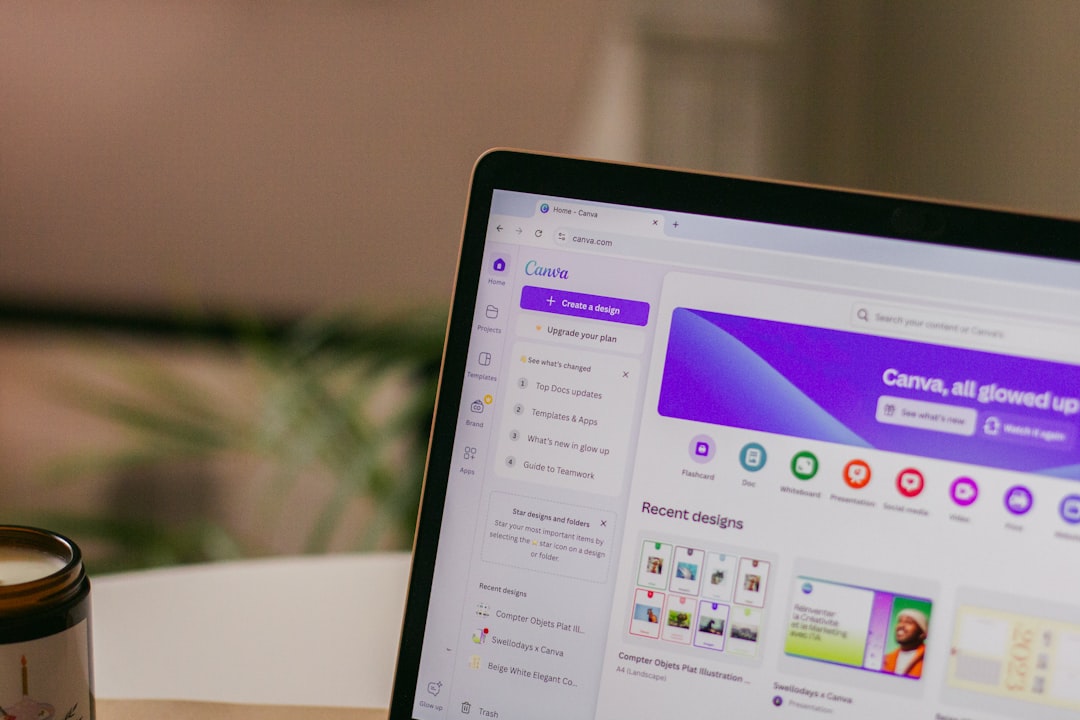
2. Canva
Canva has built its reputation as one of the easiest graphic design tools for non-designers. Among its many features is the ability to create simple logos using drag-and-drop tools, shapes, text, and icons.
Background removal with AI: Canva Pro includes a background remover feature powered by AI. Just click “Background Remover” and Canva does the rest — very useful for isolating logos on any surface.
3. Wix Logo Maker
Wix Logo Maker operates as a guided design assistant, helping users create personalized logos quickly. After submitting details about your brand, you can customize the logo using color palettes, font choices, and iconography.
AI background remover: Once your logo is ready, you can export it with a transparent background using the built-in background removal feature included in their premium package.
4. BrandCrowd
BrandCrowd is known for its extensive library of logo templates and customization tools. It’s ideal for businesses that want more stylistic flexibility.
Background removal tools: For paid users, BrandCrowd allows downloading logo files with transparent backgrounds — no manual editing needed, thanks to its automatic background-detection system.
5. Tailor Brands
Tailor Brands focuses on providing a full branding solution, not just logos. However, its logo maker, supported by AI, creates sleek and modern visuals based on a brand’s tone and style.
Built-in AI remover: The platform automatically generates both colored and transparent versions of logos, enabling faster deployment across light and dark surfaces.
6. LogoMakr
LogoMakr is a user-friendly design tool that operates almost like a simplified vector editor. Users can drag elements, add text, and select from thousands of icons.
AI background removal feature: When downloading your final design, LogoMakr gives the option to export with a transparent background, saving you from extra editing.
7. DesignEvo
DesignEvo allows for quick logo creation with over 10,000 templates and customization tools for icons, text, and layouts.
AI-enhanced background remover: The transparent PNG download option is available on premium plans, automatically excluding any background from your logo — a real benefit for merchandise-style branding.
8. Hatchful by Shopify
Hatchful offers a simple, free logo maker that’s ideal for e-commerce store owners using Shopify. It walks users through several style-related choices, then builds personalized logo options.
Background remover included: Upon completion, Hatchful enables access to full logo packages, which include transparent background versions for web and social platforms.
9. Fotor Logo Maker
Fotor is an all-in-one online photo editor with plenty of design tools, including a well-integrated logo creator. It’s best for people who need more than just logo design — like image tweaking and brand collateral work.
Automatic AI background erase: Its background remover tool uses AI to extract objects with precision. When you’re done, you can save logos in transparent format, ideal for print-on-demand products.
10. LogoAI
LogoAI, true to its name, uses artificial intelligence to generate stylish logos that adhere to basic design principles. This tool stands out for incorporating branding consistency into its design output — like matching business cards and social media kits.
AI-powered background removal: Logos are pre-exported with multiple background options, including fully transparent versions, ensuring you have the flexibility to place your brand mark on anything from letterheads to t-shirts.
What Makes AI Background Removers Special?
Traditional background removal methods require manual labor and photo-editing skills. AI background removers analyze images and text elements using deep learning and neural networks to detect edges and eliminate the unnecessary background parts.
This advancement is perfect for logos, which often need transparent backgrounds for use in:
- Website headers
- Branded merchandise
- Business cards
- Social media posts
By integrating backgrounds removers directly into logo makers, users now get export-ready logos faster and with fewer steps.
Choosing the Right Logo Maker With Background Remover
Here’s what to consider when choosing among these platforms:
- Customization: Do you want full creative control or prefer auto-generated logos?
- Output formats: Make sure the tool allows transparent PNG or vector exports.
- Pricing: Some tools offer free downloads with limitations, while others require subscriptions.
- Extra branding features: Check if the tool offers business cards, social kits, or brand guidelines.
Final Thoughts
The days of amateur-looking logos and overly complex graphic design tools are behind us. With these AI-logo makers now packing built-in background removers, creating beautiful brand visuals is faster, cleaner, and more accessible than ever. Whether you’re a business owner aiming to launch a new brand or a freelancer needing graphics on the go, these tools can elevate your design game.
From Looka’s smart customizations to Fotor’s all-in-one brand kits, the choices are abundant. Just pick the one that suits your workflow, budget, and visual preferences, and in minutes, you’ll have a logo that’s not just stylish — but professionally presented.