Better user interfaces come from one tight loop: design the flow, build a realistic prototype, test it with users, then repair the weak spots. Penpot, UXPin, Axure RP, and Maze each fit a different part of that loop. This matters because small UI problems can cost real money; Baymard reports an average cart abandonment rate of 70.19% across ecommerce studies [source: Baymard].
TLDR: A product team can use Penpot for shared interface design, UXPin for component-based prototypes, Axure RP for complex logic, and Maze to test the result with real users. For example, if 5 out of 10 testers fail to find the checkout button, Maze will expose the issue quickly through task success rates and heatmaps. The team can then fix the layout in Penpot or UXPin and test again. One clean cycle may remove several annoying clicks before launch.

Start With a Clear UI Goal
A team should not open a design tool and start placing boxes at random. That wastes time. The first step is to define the user task. It may be create an account, book a demo, or buy a product.
The goal should be written in plain words. For example: “A new visitor should complete checkout in under three minutes.” That single line helps the team judge every screen. If a button, field, or popup does not support the task, it may not belong there.
Use Penpot for Open, Fast Interface Design
Penpot works well when designers, developers, and product owners need to work from the same visual source. It is open source, browser-based, and friendly to design systems. A team can create reusable buttons, form fields, cards, menus, and layout rules.
Penpot is especially useful for early UI work. Designers can map screens, test visual hierarchy, and check spacing before the prototype gets too serious. Developers can inspect CSS-like properties, which reduces vague handoff comments such as “make it like the mockup.”
- Best for: wireframes, UI layouts, design systems, team feedback.
- Weak spot: advanced interaction logic is limited compared with Axure RP.
- UI improvement tip: create one shared button style and reuse it everywhere.
It drives many designers crazy when a product has five button styles doing the same job. Penpot helps stop that mess early.
Use UXPin for Realistic Product Prototypes
UXPin is useful when the interface needs to feel closer to the final product. It supports interactive states, variables, conditional logic, and design systems. Teams can build forms that respond to input, menus that open correctly, and product flows that feel less fake.
This matters because static mockups hide problems. A login form may look fine on a flat screen. Then someone tries to use it and finds that the error message pushes the submit button below the fold. UXPin helps catch these problems earlier.
UXPin also suits teams that already use coded components. When design and engineering share the same components, the final UI is less likely to drift away from the approved design.

Use Axure RP for Complex Logic and Edge Cases
Axure RP is still one of the strongest tools for complex prototypes. It can handle conditional flows, data-like behavior, variables, hidden panels, repeaters, and detailed form logic. This makes it a good fit for enterprise software, dashboards, finance tools, admin screens, and internal platforms.
Honestly, it feels like Axure asks for more patience than lighter tools. Simple edits can feel slower. A designer may spend 20 seconds setting up an interaction that takes only a few seconds in a simpler app. Still, when a prototype needs rules and real decision paths, Axure can save the team from building the wrong thing.
- Best for: complex workflows, enterprise apps, dashboards, form-heavy products.
- Weak spot: the learning curve can slow new users.
- UI improvement tip: prototype the ugliest edge case, not only the happy path.
Use Maze to Test the Interface With Real Users
Maze turns prototypes into usability tests. A team can import a prototype, set tasks, ask survey questions, and collect results. It tracks clicks, misclicks, time on task, drop-off, and completion rates.
This is where opinions get replaced by evidence. A manager may love a homepage hero section. A designer may defend a clever menu. Maze may show that users ignore both and click the wrong card six times. That hurts a little, but it is useful.
A good Maze test should stay short. Five to seven tasks are often enough for one round. Each task should have a clear success point. For example: “Find the pricing page and choose the Pro plan.” If users hesitate, backtrack, or fail, the interface needs work.
A Practical Workflow
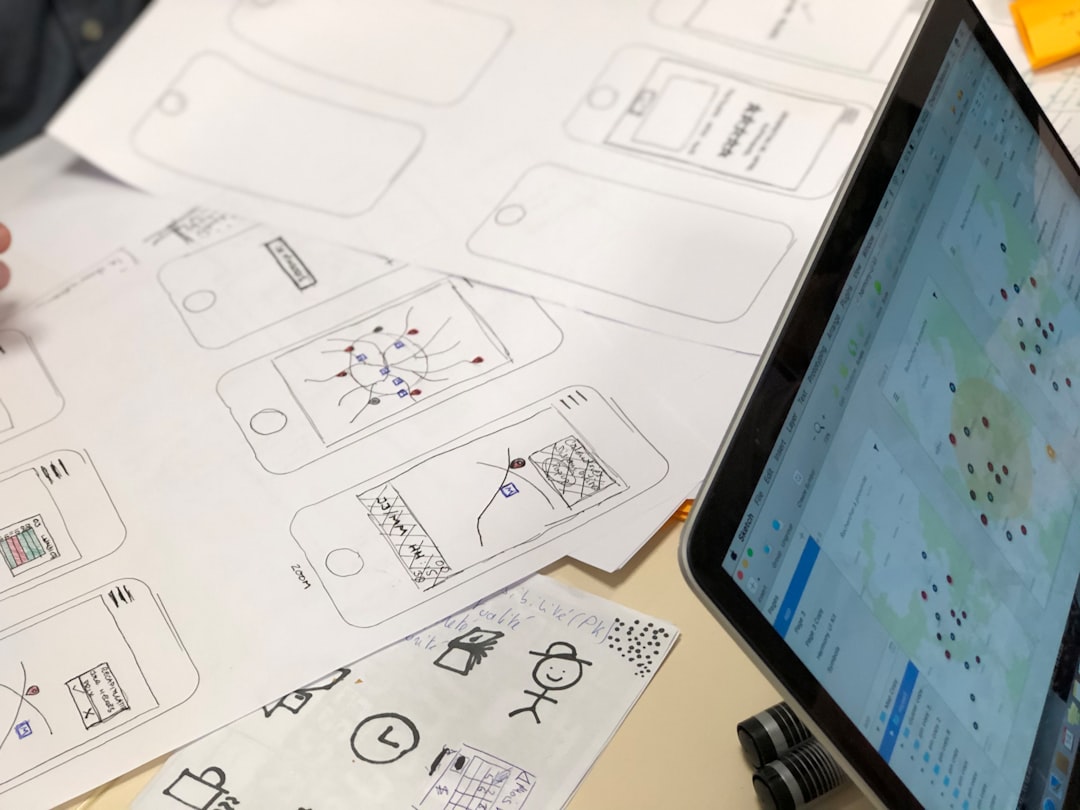
- Map the task: define what the user must finish.
- Design in Penpot: create the screens and shared styles.
- Build realism in UXPin: add states, form behavior, and component logic.
- Use Axure RP when needed: model complex rules and edge cases.
- Test in Maze: measure success, confusion, and drop-off.
- Fix and repeat: improve the weak screen, then test again.
What Teams Should Watch For
Tools do not fix bad thinking. A messy layout in Penpot stays messy in UXPin. A confusing flow in Axure still fails in Maze. The team should focus on clarity, fewer steps, readable labels, and obvious calls to action.
The best results come from small test cycles. A team does not need 40 users for every early test. Even a small group can reveal repeated problems, especially when several people fail on the same task. That is the signal to act.
FAQ
Which tool is best for beginners?
Penpot is often the easiest starting point for visual UI design. It is clear, collaborative, and useful for basic prototypes.
When should a team use UXPin instead of Penpot?
UXPin is better when the prototype needs realistic states, forms, variables, or component-based behavior.
Is Axure RP still useful?
Yes. Axure RP is strong for complex flows, enterprise tools, and prototypes with detailed logic.
Why add Maze to the process?
Maze shows how real users behave. It gives task results, click data, and survey answers, so teams can fix problems with less guesswork.
Can one team use all four tools?
Yes, but only when each tool has a clear role. Penpot can handle layout, UXPin can add realism, Axure can model complex logic, and Maze can test the experience.